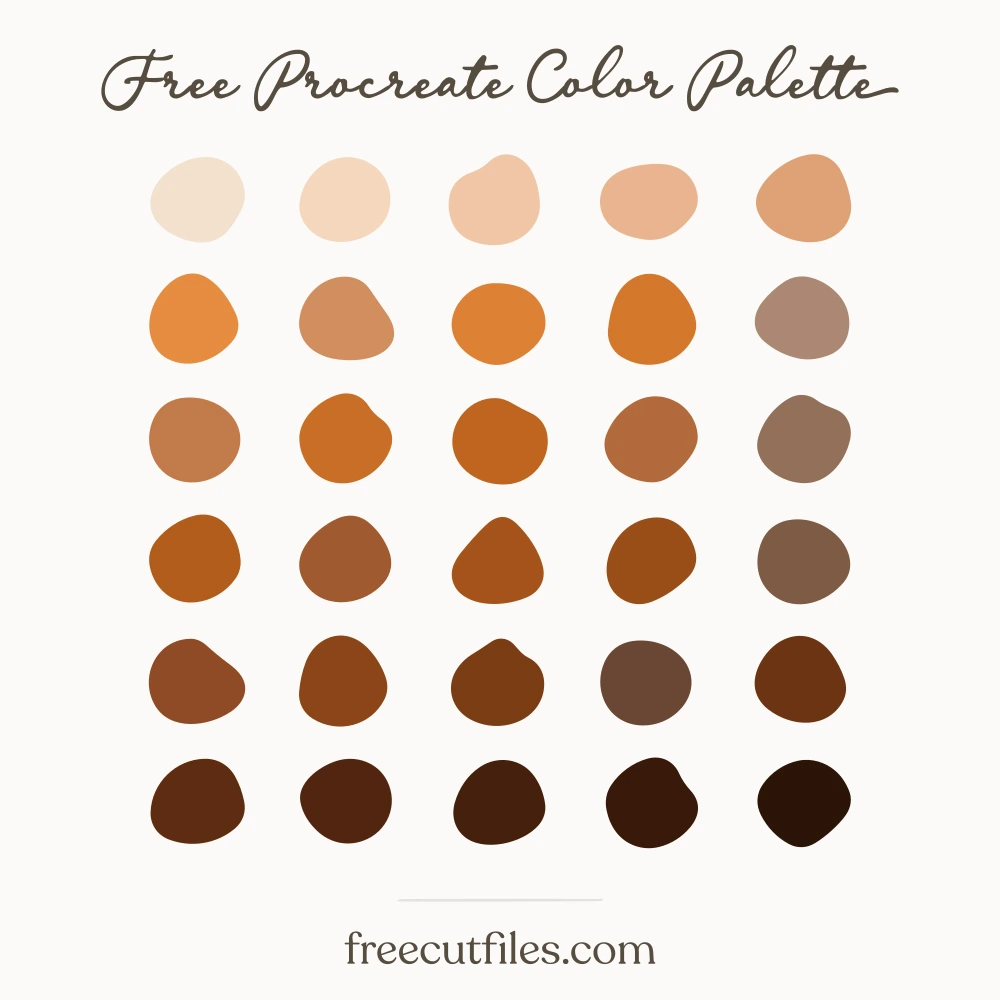
Red Lead Primer Color Palette
Thirty oranges pulled off painted steel: deep oxide browns, bright red-lead and orange-primer mid tones, flaking rust, and pale sanded neutrals that read almost like putty. The darks make good outlines and shadow shapes, while the chalky lights work as paper-toned backgrounds behind them. Handy for machinery and bridge illustrations, tool and hardware lettering, worn signage, and anything that should look like it has been outdoors a while.
Download it
About This Free Palette
::: What you get :::
- -30 colors · a full Procreate palette, no empty slots
- -.swatches · Procreate
- -.ase · Photoshop, Illustrator, Affinity
- -.gpl · GIMP, Krita, Inkscape
- -.css · CSS variables
- -Hex codes · listed below, click any one to copy it
::: How you may use it :::
- Use these colors in anything you make, personal or commercial.
- Sell the artwork, products and designs you create with them.
- Do not sell, share or redistribute the palette itself, its files or its color list, on their own or inside a bundle.
In short: the palette is a tool for your work, not a product to resell. No sign-up and no credit needed.
How to open your file
These are palette files, not documents. Most apps load them from their swatches panel rather than from File, Open.
Procreate .swatches
- 1Download the file on your iPad.
- 2Tap it in Files or in Safari downloads.
- 3Procreate opens and the palette appears at the top of your Palettes list.
Illustrator .ase
- 1Window, then Swatches.
- 2Open the panel menu, the small lines at the top right of the panel.
- 3Open Swatch Library, then Other Library, then pick the .ase.
Opening the file from File, Open will say "unknown format". That is normal for every .ase.
Photoshop .ase
- 1Window, then Swatches.
- 2Open the panel menu at the top right of the panel.
- 3Import Swatches, then pick the .ase.
Affinity Designer and Photo .ase
- 1Open the Swatches panel.
- 2Open the panel menu, then Import Palette, then As Document Palette.
GIMP, Krita and Inkscape .gpl
- 1Open the palette panel or docker.
- 2Import, then pick the .gpl. In GIMP you can also drop it into your palettes folder.
The 30 colors
Red Lead Primer hex codes: #f3e0cf, #f6d7bd, #f1c6a6, #eab58f, #dfa176, #e58c40, #d18e5f, #dd8135, #d4772c, #ab8873, #c27b49, #c96e26, #bf6520, #b16a3b, #94705a, #b25c1d, #a0592f, #a5531a, #994d18, #7e5a45, #8f4a26, #8a4517, #7b3c15, #6a4634, #6d3413, #5f2c11, #512510, #45200c, #39190a, #2a1408